If you’ve recently purchased access to the Marriott Explore Rate (MMP/MMF), you may be wondering:
“How does the verification process actually work?”
In this guide, we’ll walk you through exactly how we help customers get verified for Marriott special rates — from order confirmation to seeing the verified status directly inside the Marriott Bonvoy app.
What Is the Marriott Explore Rate?
The Marriott Explore Rate (MMP) and Explore Friends Rate (MMF) are special discounted hotel rates available through Marriott’s internal Explore program.
Once verified, eligible users can book hotels using the same booking process as Marriott associates, friends, or family members.
These rates often provide:
- Significant discounts vs. public pricing
- Access to over 30 Marriott brands worldwide
- Exclusive member-only pricing
How Our Verification Process Works
The process is simple and usually completed quickly after your order is placed.
Step 1 — Place Your Order
After completing your purchase, our team begins the verification process through Marriott’s Explore verification system.
Once submitted and approved, your Marriott Bonvoy account will become eligible for special rate access.
Step 2 — Verification Completed in the System
After successful verification, your account status will show as Verified inside the system.

Suggested caption:
Your Marriott Explore verification status showing as “Verified”.
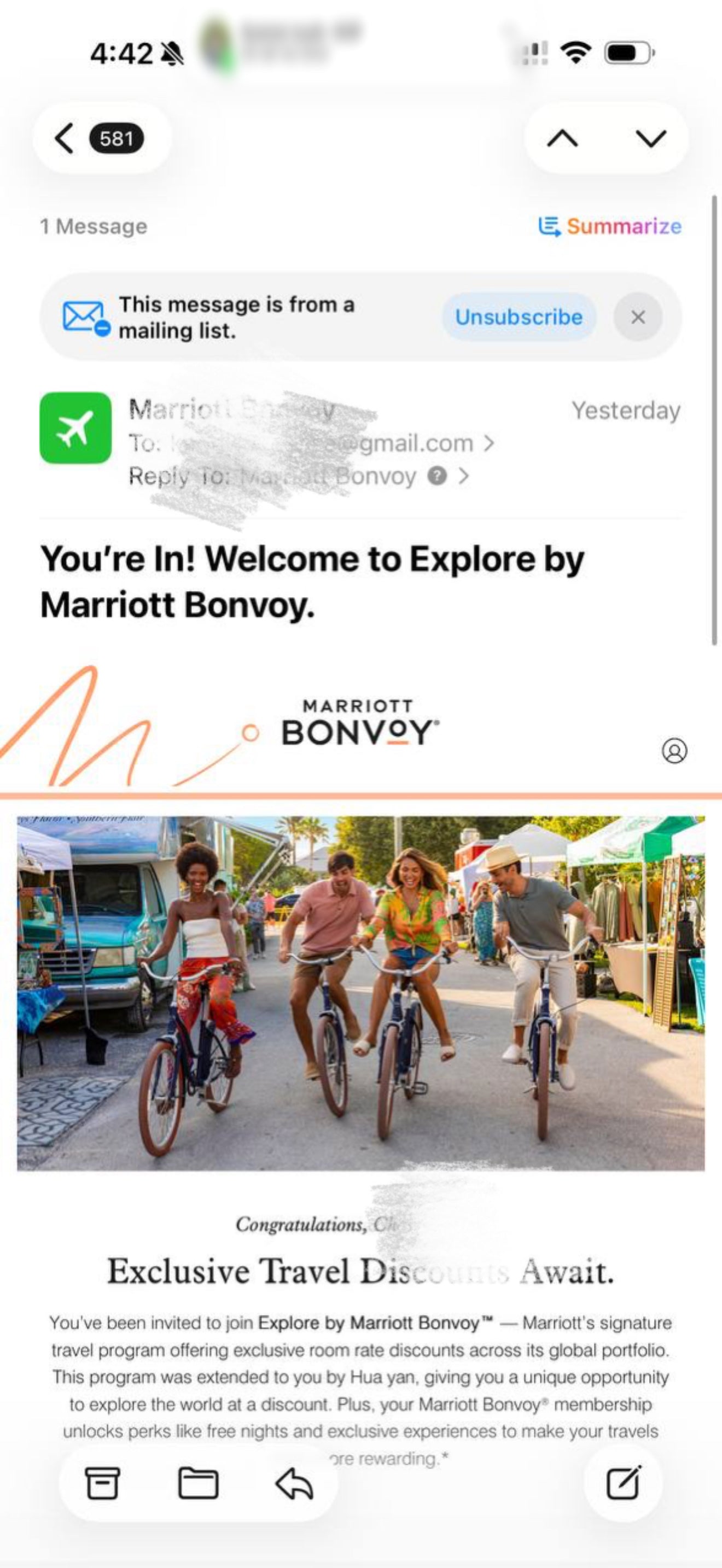
Step 3 — Receive Confirmation Email From Marriott Bonvoy
Once your account is activated, Marriott will send a confirmation email directly to the email associated with your Bonvoy account.
The email confirms that you’ve been added to the Explore program.

Suggested caption:
Marriott Bonvoy confirmation email after successful Explore enrollment.
Step 4 — Confirm Your Information Inside the Marriott Bonvoy App
When opening the Marriott Bonvoy app, you may see a verification popup asking you to confirm your account details.
Simply tap Confirm to continue.

Suggested caption:
Marriott Bonvoy app asking the user to confirm account details.
Step 5 — Access Your Verified Special Rates
After confirmation, a new section called “Verified Special Rates” will appear inside your Marriott Bonvoy profile.
Inside this section, you’ll see the special rates available to your account, such as:
- Explore Family Rate (MMP)
- Explore Friends Rate (MMF)

Suggested caption:
Verified Special Rates section inside the Marriott Bonvoy app.
How to Book Marriott Explore Rates
Once verified, booking works exactly the same way as standard Explore bookings.
When searching on Marriott’s website or app:
- Go to Marriott booking search
- Open Special Rates
- Select Corporate / Promo / SET#
- Enter the rate code:
- MMP for Explore Family Rate
- MMF for Explore Friends Rate
- Search hotels normally
Your discounted rates will automatically appear on eligible properties.
Important Notes
- Verification must be completed before rates appear
- Not all hotels participate in Explore pricing
- Rates are subject to availability
- Marriott may request verification documentation at check-in
- Always use the same Marriott Bonvoy account that was verified
Frequently Asked Questions
How long does verification take?
Most verifications are completed shortly after order processing, though timing may vary depending on account status and Marriott system updates.
Do I need a new Marriott account?
No. In most cases, your existing Marriott Bonvoy account can be used.
Will the rates appear automatically?
Yes. Once verified, the rates will appear automatically when using the correct MMP or MMF booking codes.
Can I see my verification status in the app?
Yes. After activation, you’ll see a Verified Special Rates section inside your Marriott Bonvoy profile.
Final Thoughts
The Marriott Explore program remains one of the best ways to access discounted hotel pricing across Marriott’s global portfolio.
Our process is designed to make verification simple:
- Order placement
- Account verification
- Marriott email confirmation
- In-app activation
- Immediate access to special rates
Once completed, you can begin booking discounted Marriott stays worldwide using the standard MMP/MMF codes.